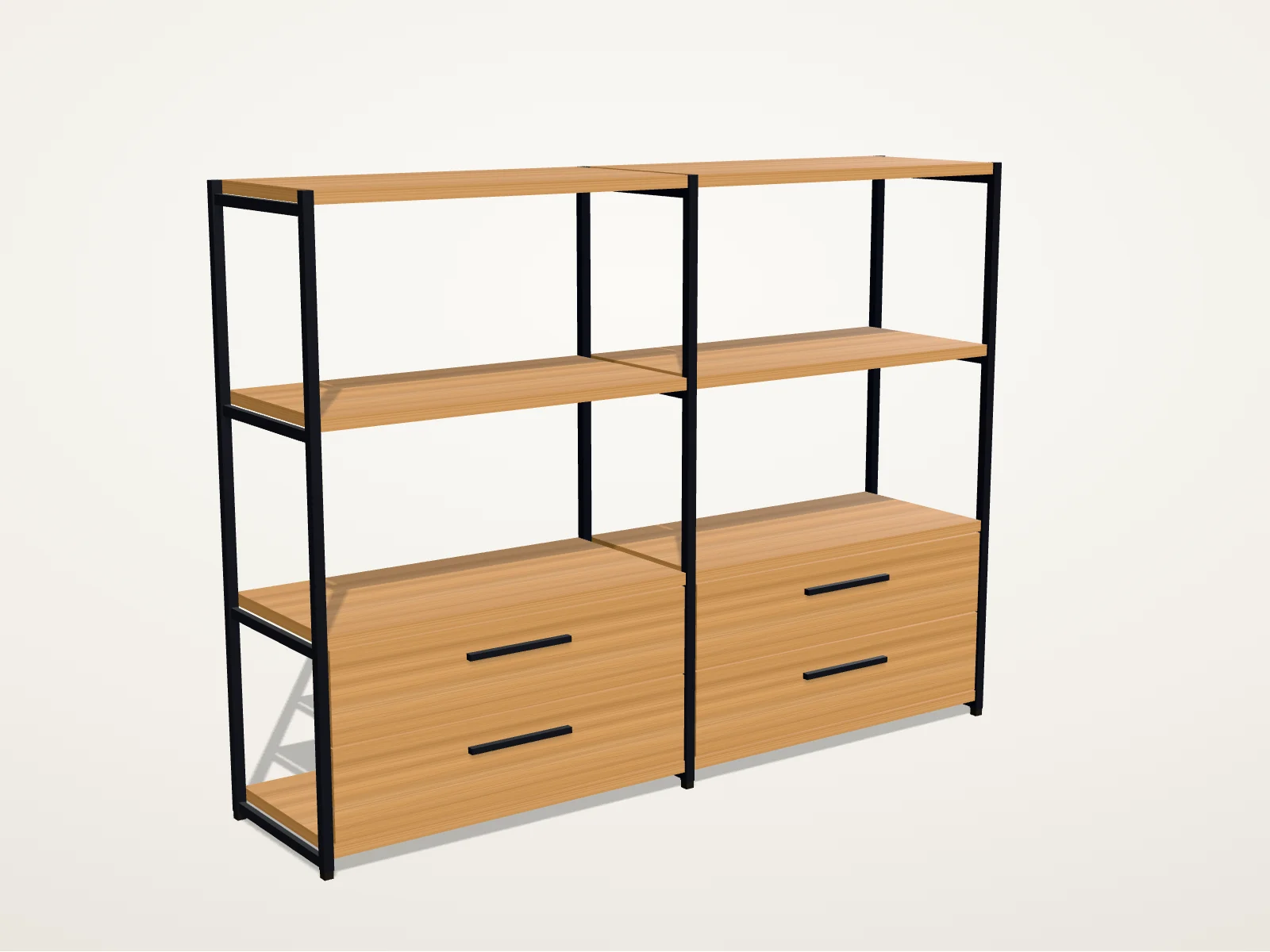
How to use the demo
- Choose the size: four widths, from one to four bays, and four heights, from three to six shelves.
- Choose the finishes: four woods for the shelves and fronts, five powder-coat colours for the steel frame, and open shelves, doors or drawers on the bottom row.
- Turn it: drag the model, use the buttons under it, or focus it and use the arrow keys. Front, Angle and Side jump to set views.
- Keep it: copy the link to reopen the same shelf, download the model as a .glb file, or, on an iPhone or iPad, view it in your room with AR Quick Look.
- Send it: the last button takes your configuration to our contact form, where you add a few lines about your own product.
What a configurator does for a buyer
A configurator replaces a gallery of every possible product with one model that follows the buyer's choices. Here, 4 widths × 4 heights × 4 woods × 5 frame colours × 3 kinds of fronts make 960 versions of one shelf, none of them photographed or rendered ahead of time.
- Rules: each choice changes the parts the shelf needs, so the model and the parts list always agree.
- A parts list: the posts, rails, shelves and fronts that a quote or a factory order would carry.
- A price that follows the choice: here from a fictional price list; in a real project, from your price book, your ERP or your CPQ.
- A configuration code and a link, so a sales rep, a quote or a cart line can carry the exact configuration.
How it's built
The shelf isn't a downloaded 3D file. It's built in the browser from its own measurements: each post, rail, shelf and drawer front is a box placed by the same rules that count the parts and price them, so the picture and the parts list can't disagree. The wood grain is drawn in the browser too, so the 3D view downloads no models or textures. It runs on three.js and WebGL and draws a new frame only when something changes.
For a real product we usually start from your CAD files or existing 3D models, convert them to glTF, the open format the Khronos Group maintains for 3D on the web, and compress geometry and textures for phones. The same model then exports to USDZ for Apple's AR Quick Look, as the shelf does here.
Accessibility and performance budget
- Every option is a standard form control, so the whole configurator works with a keyboard and a screen reader, and each change is announced.
- Turning the model never requires a drag: the buttons and the arrow keys do the same, as WCAG 2.2's criterion on dragging movements asks.
- With reduced motion turned on in your system, the camera jumps to each view instead of gliding.
- The size, parts list and price are in the page's HTML and work without the 3D view. Without WebGL you see a still; with Save-Data on, the 3D view waits until you ask for it.
- The 3D view's code, three.js included, is about 160 KB compressed and loads only once the view is on screen. The .glb and AR exporters add about 10 KB each, only when you use them.
What this demo leaves out
It's a demo, not a client project: the product, its prices and its code are invented, and nothing here was manufactured. A real configurator also needs what this one fakes: your product's real rules and exceptions, your price book, stock and lead times, and a connection to the cart, the quote or the order. That's the work our 3D product configurator service covers.
Questions before you choose
Is the shelf a real product?
No. It's a fictional shelf Dardo designed for this demo, with invented prices and product codes, so we can show a working configurator in public without a client's product. The method is the one we'd use for a real catalogue: options, rules, a parts list and a price that follow every choice.
Can a configurator like this run on Shopify?
Yes. Shopify shows 3D models on product pages on every plan, and a custom configurator can add the chosen options to the cart line as line item properties, which reach the order. Those properties don't change the price, so options that do need a variant per price or, on Shopify Plus, a Cart Transform function.
What do you need from us to build one for our product?
The list of products and options, the rules between them, where the prices come from, and whatever 3D or CAD files, drawings, photos and material samples exist. A workshop turns that into an option and rule map before any modelling, and a first slice proves it on one product family.
Does a 3D configurator slow down a product page?
It shouldn't. Here the content and the options arrive in the HTML, the 3D code loads after them and only when the view is on screen, and the view draws only when something changes. A real product adds compressed models, so we agree a size budget per product and test on a phone before launch.
Can I see the shelf in my room?
On an iPhone or iPad, yes: the AR button turns your configuration into a USDZ file that AR Quick Look opens. Android's Scene Viewer opens glTF files from a web address, so a production configurator would generate and host the file for each configuration; this demo offers the .glb download instead.
Sources & further reading
Sources behind this page, with further detail from the original publishers.
- three.js documentation: GLTFExporter and USDZExporterthreejs.org
- Khronos: glTF, the royalty-free format for 3D scenes and modelskhronos.org
- Apple Developer: Quick Look gallery (USDZ in AR)developer.apple.com
- Google ARCore: Scene Viewer for the webdevelopers.google.com
- Shopify Dev: Cart API reference (line item properties)shopify.dev
- Shopify Dev: Cart Transform Function APIshopify.dev
- W3C: Understanding WCAG 2.2, Success Criterion 2.5.7 Dragging Movementsw3.org