What a 3D product configurator does
A configurator replaces a gallery of every possible product with one model that follows the buyer's choices: size, material, colour, components and accessories. Each choice updates the 3D view, the price and what can still be chosen, so nobody builds a version you can't make. The configuration then travels on, to the cart, a quote request, sales or production, as a code and a parts list rather than a screenshot in an email thread.
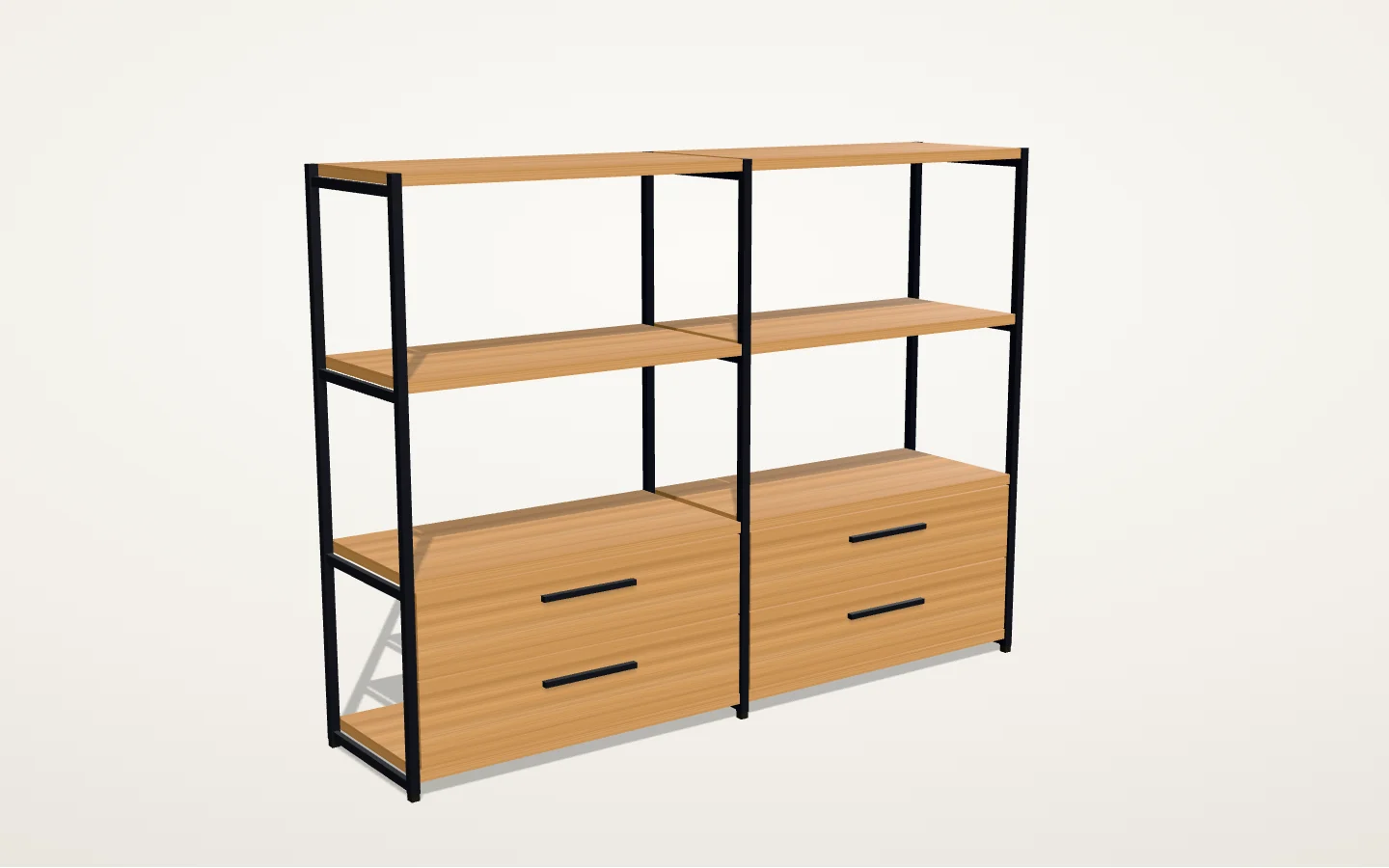
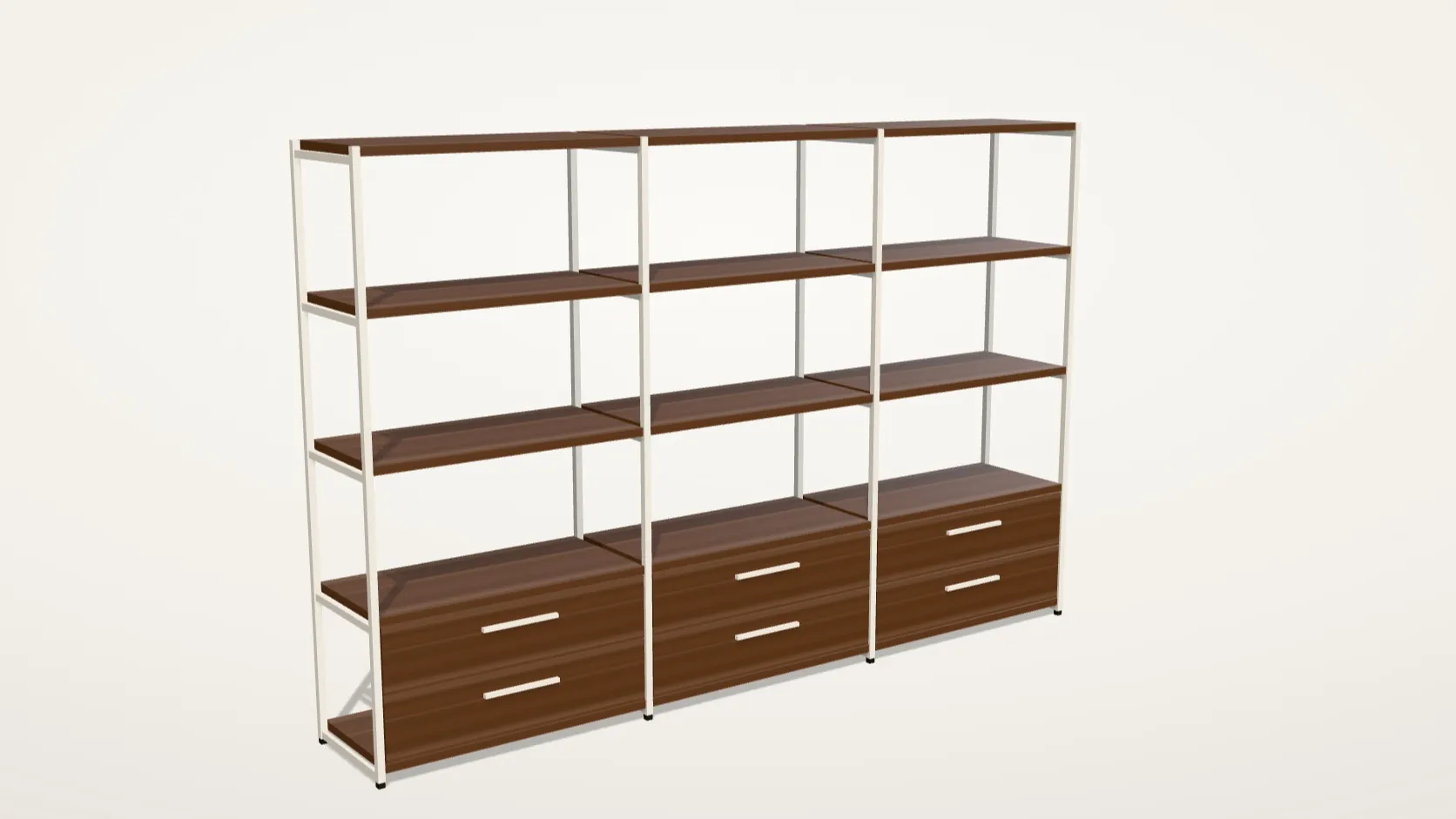
Our 3D product configurator demo shows the idea on a fictional modular shelf. Four widths, four heights, four woods, five frame colours and three kinds of fronts make 960 versions. Each one is built in the browser from the shelf's own measurements, with its parts list, a sample price and a link that reopens it.
When a SaaS configurator is enough, and when to build one
Many stores don't need a custom build. If you sell a handful of personalizable products and buyers choose text, images or a few colours, an app is faster and cheaper. As of 8 November 2026, Zakeke's plans cost USD 59 to 255 a month billed annually, plus a fee of 1.5% to 1.9% on each customized item sold. Shopify shows 3D models on product pages on every plan. Other configurator platforms publish plans from about USD 29 to over USD 1,000 a month, and Threekit quotes on request.
A custom configurator pays off when the product outgrows the app, usually for one of these reasons:
- Rules that depend on each other: a size that limits the materials, parts that need other parts, options that change by market
- Hundreds or thousands of variants, where photographing or rendering each one isn't practical
- Prices that come from your price book, a formula or a CPQ system, not a flat surcharge per option
- A configuration that has to reach a quote, an ERP or the factory as a parts list or a product code
- A brand experience the app's template can't give you, across several storefronts or languages
Integrations: Shopify, headless commerce, quotes and product data
A configurator is only as useful as where the configuration goes next. We connect it to the systems you already run:
- Shopify: the chosen options ride on the cart line as line item properties and reach the order
- Prices on Shopify: properties don't change a price, so options that do need a variant per price or, on Shopify Plus, a Cart Transform function
- Headless commerce: the configurator is a component of your storefront that talks to your commerce API
- Quotes and CPQ: for products sold through sales, the configuration lands in a quote form or your CPQ with its code, parts list and a link back to the 3D view
- Product data (PIM or ERP): options, rules, prices and stock are read from your system of record, so the configurator never contradicts the catalogue
In the first workshop we agree which system owns the options, the rules and the prices, so the configurator reads them instead of keeping its own copy. For a store that needs more than a configurator, see e-commerce development.
The 3D asset pipeline: from CAD to glTF and AR
Most configurators start from files you already have: CAD models from engineering, 3D files from a render studio, or drawings, photos and samples when nothing exists yet. CAD is made to manufacture parts, not to draw them in a browser, so we convert it to glTF, the royalty-free format Khronos maintains for delivering 3D, standardized as ISO/IEC 12113:2022.
Then we make the models light enough for phones. We cut detail where nobody looks, compress geometry with Draco or meshopt and textures with KTX2, and split the product into parts that can be swapped, recoloured or hidden. Each finish is set up once, so adding a colour is a data change, not a new model.
The same models feed augmented reality. Apple's AR Quick Look opens USDZ files on iPhone and iPad, and Google's Scene Viewer opens glTF files on Android, so a buyer can place the configured product in their room. Each configuration can also be exported for your renders, catalogues or production.
How we build a configurator
- Workshop: the product, the options, the rules, the prices and where each configuration has to go
- An option and rule map you sign off before any modelling starts
- A first slice: one product family in 3D, in your site's design, tested on an agreed phone
- The remaining models and finishes, optimized to an agreed size budget
- Integration with your cart, quotes, CPQ or product data, tested with real orders end to end
- Launch, analytics on which options people choose, and handover of the models, code and documentation
The first slice is where the full build becomes predictable: once one product family runs on your phones with your rules, the rest is a known quantity of models, finishes and integrations.
Accessibility and speed
A configurator is a form with a picture. We build the form with standard controls, so every option works with a keyboard and a screen reader and each change is announced. Turning the model also works with buttons and arrow keys, as WCAG 2.2's success criterion on dragging movements asks, and people who reduce motion get a camera that jumps instead of gliding.
The product's name, options and price are in the HTML, so search engines can read them and the page works before the 3D view loads. The 3D code loads once the view is on screen, the models are compressed, and the view draws a new frame only when something changes, which spares the battery on phones.
What a 3D product configurator costs
We haven't published a price for configurators: it depends on the number of products and options, the state of your 3D files and the integrations. Published market figures give the range. Program-Ace, a 3D development company, says a custom configurator usually costs at least USD 25,000 and complex ones reach about USD 150,000. Twikit, a configurator vendor, puts a project at USD 10,000 to more than 100,000, plus USD 500 to 5,000 or more per 3D model variant. Each is that company's own estimate.
These are the things that move the cost of a configurator the most, in roughly this order:
- How many products and option families need their own 3D model
- Whether usable CAD or 3D files exist, or models have to be built from drawings and photos
- How many rules connect the options, and where the prices come from
- The integrations: cart, quotes, CPQ, ERP or PIM
- AR, exports for production, and the number of languages and markets
The proposal prices the first slice on its own and then the full build, so you can stop after the slice with something that already works. Our pricing page explains how we quote projects.
Questions before you choose
How much does a 3D product configurator cost?
It depends on how many products and options need 3D models, whether CAD files exist and what the configurator connects to. Published estimates put custom builds between about USD 10,000 and 150,000, and SaaS plans run from about USD 29 to over USD 1,000 a month. We quote after a workshop, with the first slice priced on its own so you can judge the full build from something that works.
Can a 3D product configurator work with Shopify?
Yes. Shopify shows 3D models on product pages on every plan, and a custom configurator can add the chosen options to the cart line as line item properties, which then appear in the order. Those properties don't change the price, so options that do need a variant per price or, on Shopify Plus, a Cart Transform function. We choose the route in the workshop.
Do we need CAD files to start?
No, but they help. CAD files give exact dimensions, and we convert them into lighter glTF models for the web. Without CAD, we model from technical drawings, measurements, photos and material samples. The workshop lists what exists and what has to be made, which is usually the biggest variable in the cost.
Will a 3D configurator slow down our product pages?
It shouldn't. The product's name, options and price come in the HTML, the 3D code loads once the view is on screen, models are compressed with Draco or meshopt and textures with KTX2, and the view only draws when something changes. We agree a size budget per product and test on an agreed phone before launch.
Can buyers see the product in their room with AR?
Yes, on most phones. Apple's AR Quick Look opens USDZ files on iPhone and iPad, and Google's Scene Viewer opens glTF files on Android. The configurator can generate the file for the buyer's own configuration. Our demo shows the Apple route with a shelf you configure yourself.
Do 3D and AR increase sales?
The evidence is mostly from vendors. The most cited academic study, published in the Journal of Marketing in 2022 with data from a cosmetics retailer, found AR use associated with higher sales for less popular brands, narrower-appeal and pricier products, and customers new to the channel. We don't promise a sales lift; we measure which options people choose and where they stop.
Who owns the 3D models and the code?
You do, on final payment. The agreement assigns the models, the configurator's code and its documentation to your company, so you can reuse the models in renders, catalogues or another platform. Open-source libraries keep their own licences, which the handover lists.
How is this different from your interactive 3D websites?
Interactive 3D websites are scenes that tell a story or explain a place, a product or research, like Janus Observatory. A configurator is a buying tool: its job is to turn a buyer's choices into a valid product, a price and an order or a quote. Many projects use both, and the proposal says which part is which.
From the blog
- 3D product configurator software vs a custom build: prices and when each fits
What 3D configurator apps cost in November 2026, what a custom build costs, and five signs your product has outgrown off-the-shelf software.
Free tools
- Configurator demo
Configure a fictional modular shelf in 3D and watch its size, parts list and sample price follow every choice. Export it as a .glb or view it in AR.
Sources & further reading
Sources behind this page, with further detail from the original publishers.
- Khronos: glTF, the royalty-free format for 3D scenes and modelskhronos.org
- Khronos: glTF 2.0 specificationregistry.khronos.org
- Khronos: KHR_draco_mesh_compressiongithub.com
- Khronos: EXT_meshopt_compressiongithub.com
- Khronos: KHR_texture_basisu (KTX2 textures)github.com
- Apple Developer: Quick Look gallery (USDZ in AR)developer.apple.com
- Google ARCore: Scene Viewer for the webdevelopers.google.com
- Shopify Help: Product media types (3D models)help.shopify.com
- Shopify Dev: Cart API reference (line item properties)shopify.dev
- Shopify Dev: Cart Transform Function APIshopify.dev
- Zakeke: Pricing (read 8 November 2026)zakeke.com
- Threekit: Pricingthreekit.com
- Simplio3D: Solutions and planssimplio3d.com
- VividWorks: Pricingvividworks.com
- Program-Ace: How much does a product configurator costprogram-ace.com
- Twikit: What does it cost to add a 3D product configurator to your webshoptwikit.com
- W3C: Understanding WCAG 2.2, Success Criterion 2.5.7 Dragging Movementsw3.org
- Tan, Chandukala and Reddy: Augmented Reality in Retail and Its Impact on Sales, Journal of Marketing 86(1), 2022doi.org